PixelPals Haven
Opening the next view…
Preparing the page without changing your saved work.
 Gear intelligence for complete setups
PixelPals Haven
Preparing the page without changing your saved work.
Cockpit planning guide
Set the pilot geometry, controls, view system, USB and service access before turning the setup into a permanent frame.
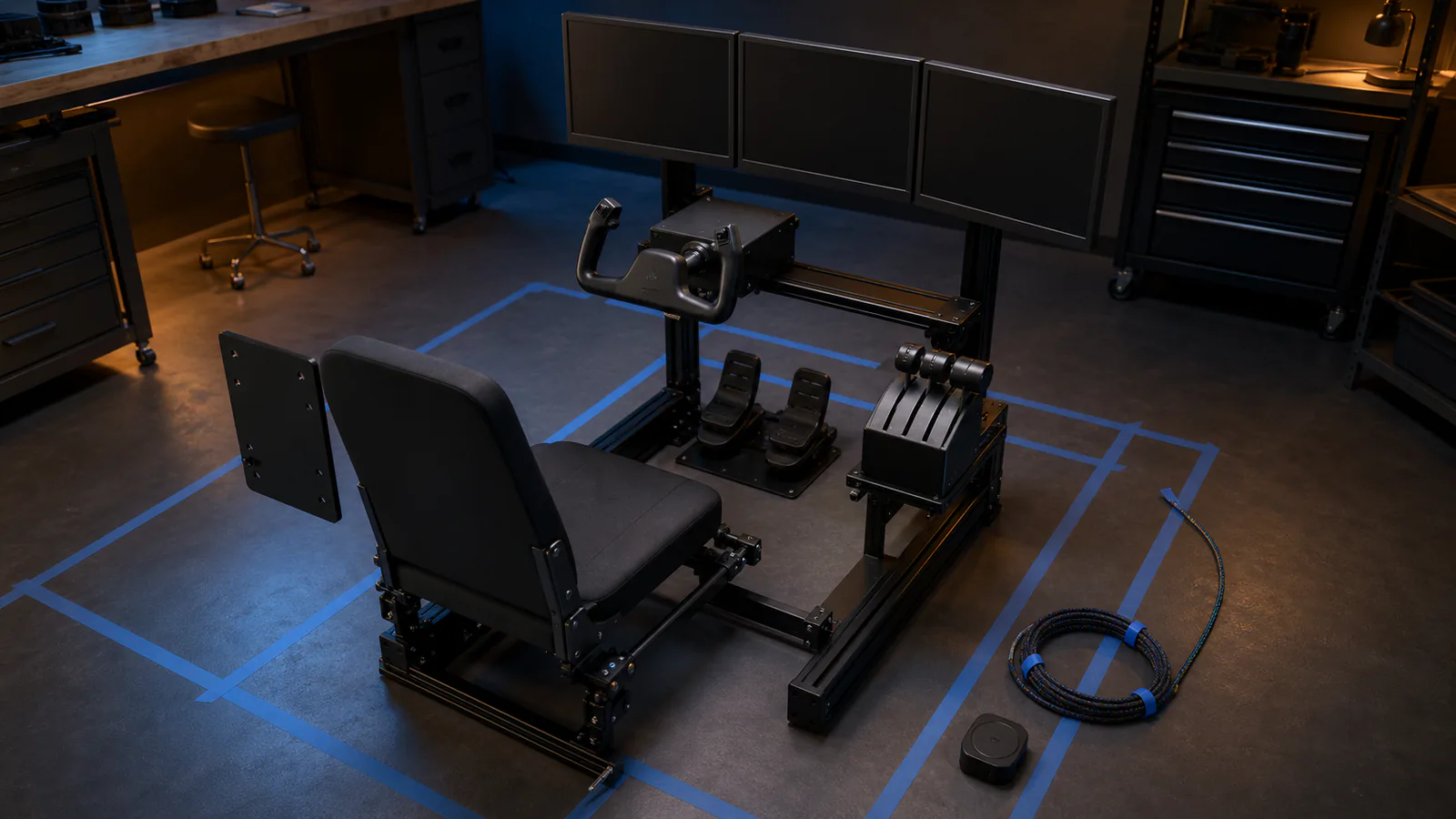
A shared desktop cockpit should convert quickly and store cleanly. A modular frame can support several aircraft families with removable mounts. A dedicated replica can reproduce one cockpit closely but makes mixed flying more difficult. Decide the intended range before fixing any panel position.
Choose a supported seating position, place the pedals at a distance that allows full travel without locking the knees, and set the eye point. Displays, yoke, stick, throttle and panels should be positioned around that geometry rather than forcing the pilot to adapt to the furniture.
A yoke needs push-pull clearance and desk depth. A center stick needs space between the legs and may need an extension. A side stick and throttle require comfortable arm support. Test the complete movement while seated before drilling mounts.
Quick-release plates, rails and swing-away arms are useful only when each control returns to a known position. Mark seat, pedal, throttle, stick and display settings. Use mechanical stops or indexed holes where possible.
Count devices, identify high-bandwidth VR or display connections, and follow manufacturer hub guidance. Use powered hubs where permitted, label cables, provide strain relief and leave access to firmware recovery and power switches. Avoid making one buried connector a single point of failure.
Wheelbases, yokes and center sticks compete for the same center space. Pedals may need different angles and distances. Decide which controls remain fixed, which slide, which swing away and which disconnect. Check the entire conversion path, not only the final positions.
Published .